
Type a topic. Get a narrated, captioned, animated video.
An AI video studio you run on your own server. Your LLM drafts the script, you review it, a local voice reads it and Reelwright renders a motion-graphics MP4 with captions. No per-video fees, and the AI label is on by default.

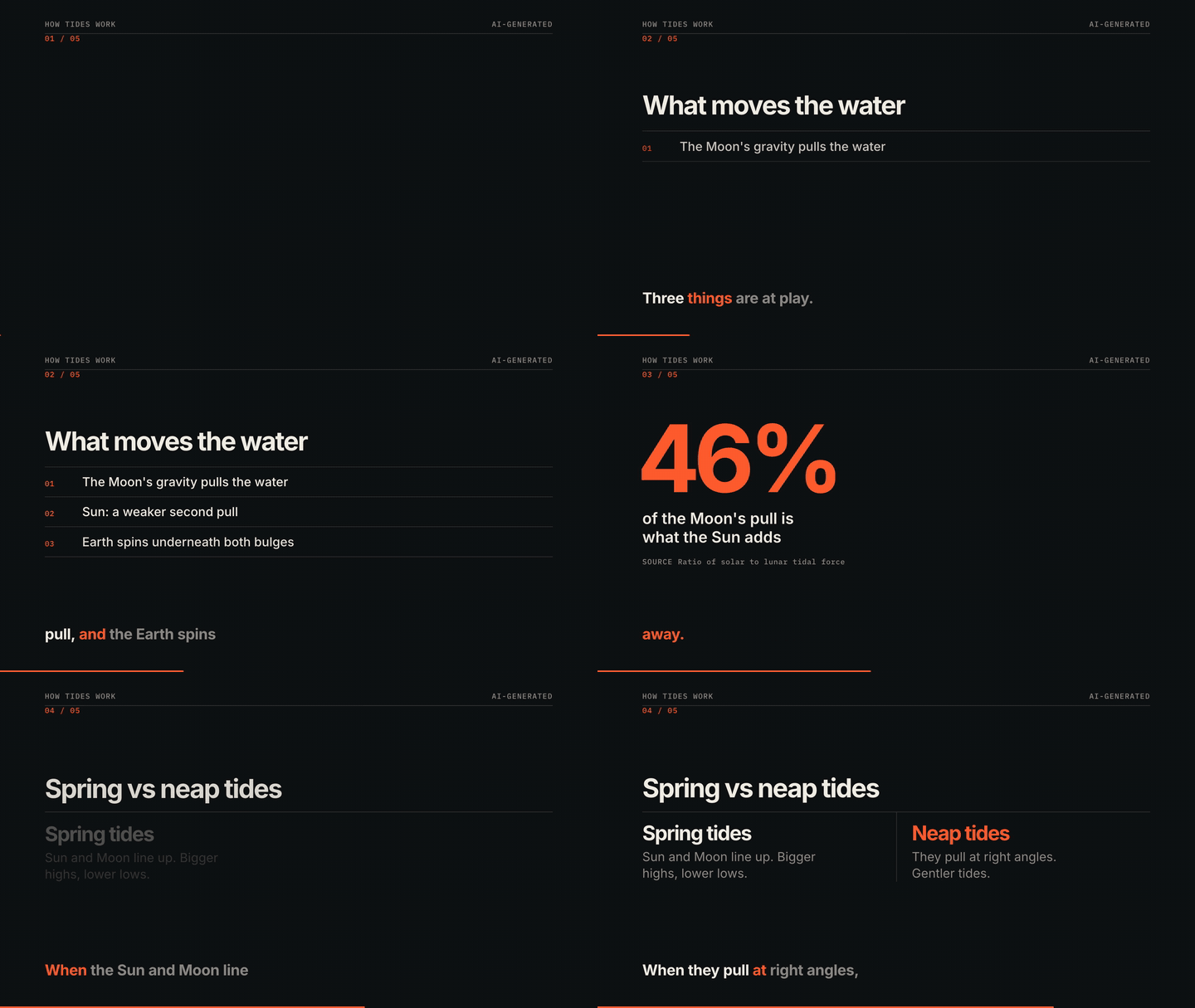

Both clips were rendered by Reelwright from the example storyboards in the repo. No editing, no stock footage.
From a topic to an MP4, with a person in the middle
- 01
Topic or script
Give it a topic and your LLM drafts a scene-by-scene storyboard. Or paste your own script, or write the JSON by hand.
- 02
You review
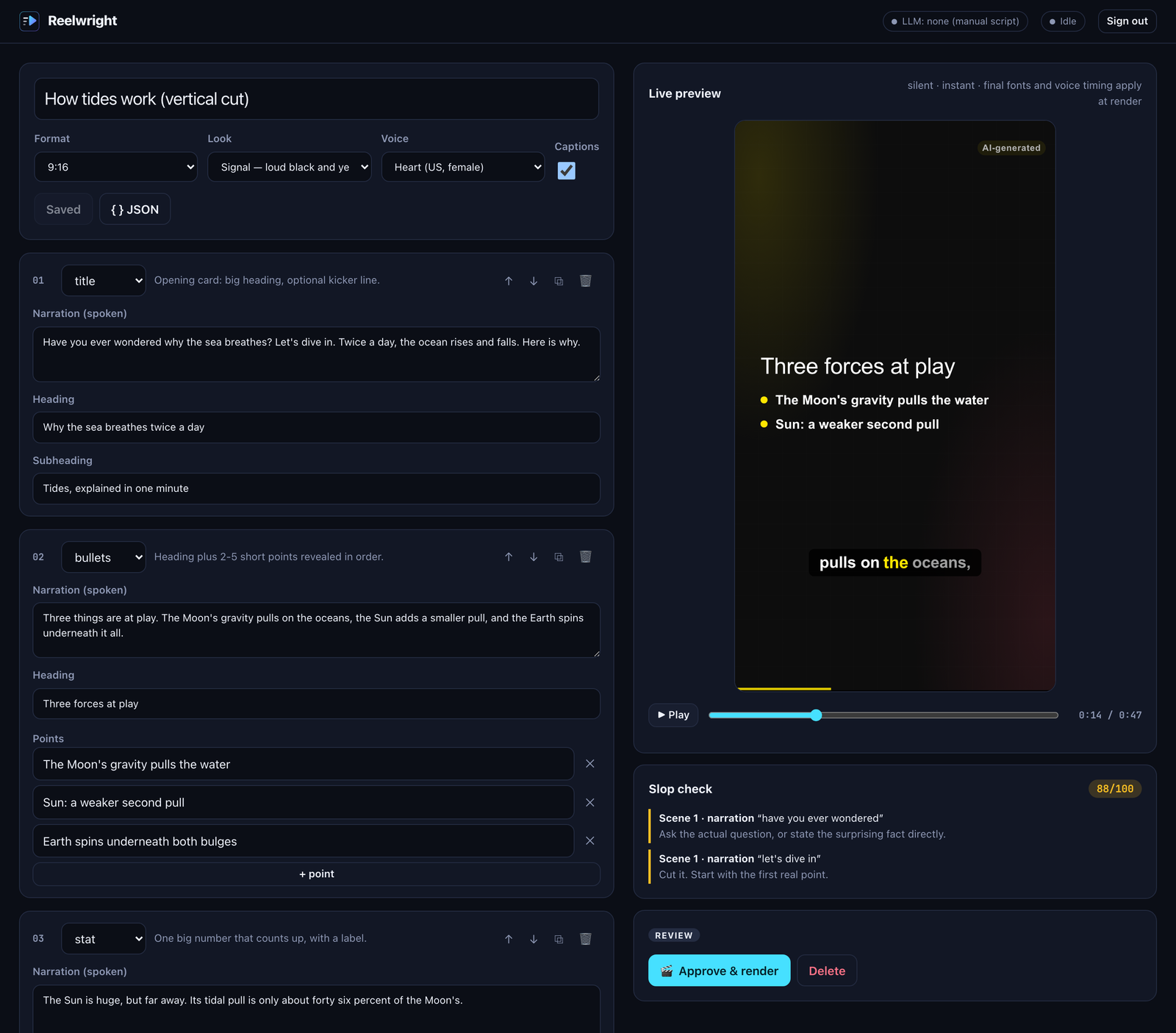
The script waits on the board. Edit scenes, fix facts, scrub the live preview. Nothing renders until a person approves it.
- 03
Local voice
Kokoro text-to-speech runs on your server, in English, Spanish, French, Japanese or Chinese. No voice API, no per-minute bill.
- 04
Captions
Word-level timing from the real audio. Captions are burned in with the current word highlighted, and you also get an .srt file.
- 05
Render
HyperFrames drives headless Chromium frame by frame, ffmpeg encodes. The same storyboard always gives the same MP4.
Out comes an MP4, a poster image and an .srt captions file.
A board for drafts, a preview before you render
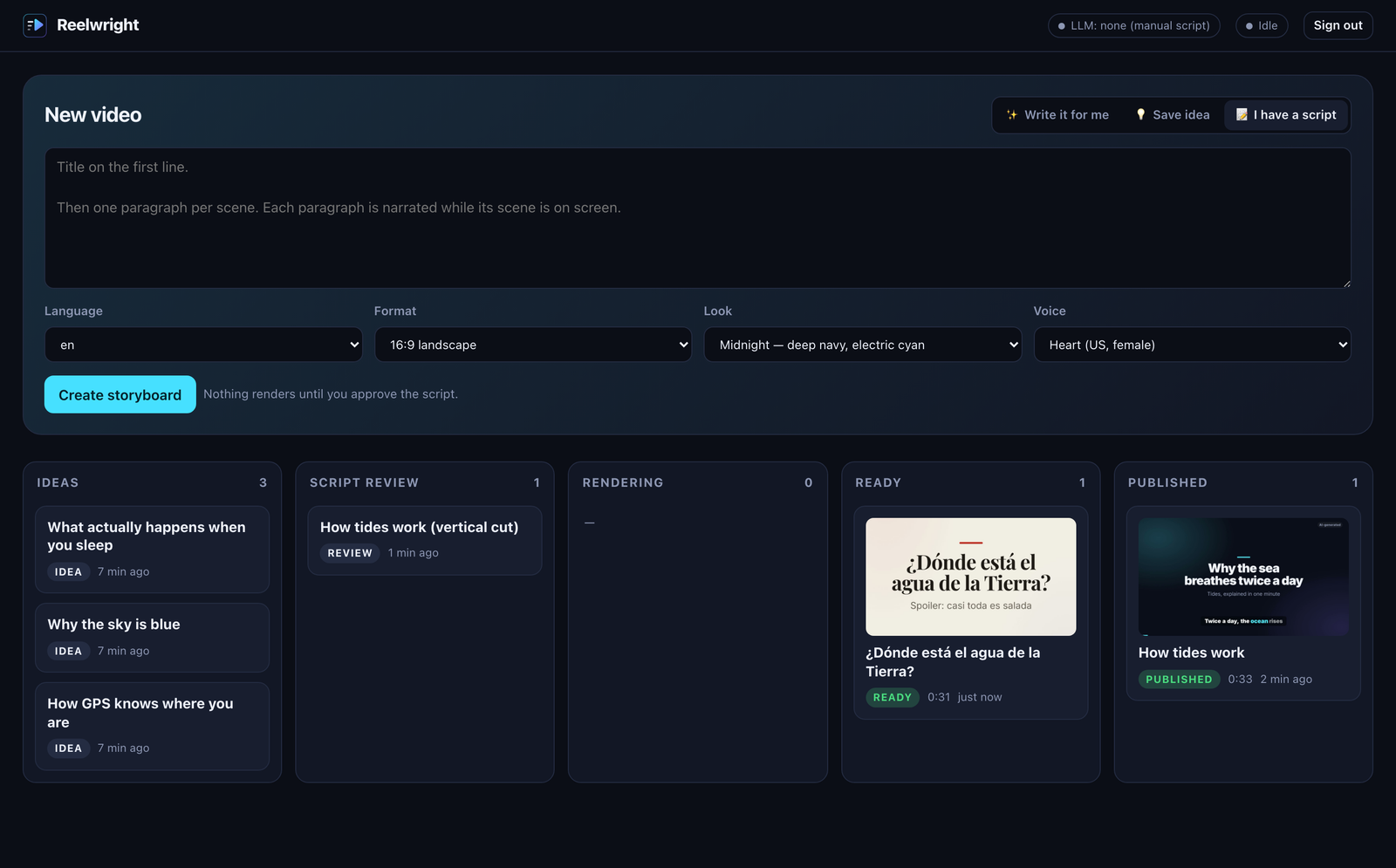
Every video moves through Ideas, Script review, Rendering, Ready and Published. Open one to edit its scenes and scrub the timeline in the browser before spending a render.
What you get
Editorial board
Ideas → Script review → Rendering → Ready → Published. One place to see what is drafted, approved and out.
Real motion graphics
Seven scene types: title, bullets, counting statistics, bar charts, quotes, side-by-side compare and outro. Three themes.
Three formats
16:9 for YouTube, 9:16 for Shorts, Reels and TikTok, 1:1 for LinkedIn and feeds.
AI disclosure by default
An on-screen label plus MP4 metadata, so the video says what it is. Written with EU AI Act Art. 50 and platform labels in mind. You control it.
CLI and HTTP API
reelwright make, draft, serve, doctor. A running studio can be driven over HTTP by scripts or other services.
Skills for coding agents
Four skills for Claude Code and similar agents: reelwright, video-storytelling, video-script-doctor and video-fact-check.
It tells you when the script sounds like a bot.
Before you approve a script, Reelwright reads it for the habits that make AI videos feel generic: stock openers, hype words, empty endings, the “it’s not X, it’s Y” construction, numbers with no source, and on-screen text that repeats the narration word for word. It works in English and Spanish.
Every flag says why and what to do instead. It is a heuristic, not a judge: you decide. The same check runs in the studio, in the CLI (reelwright lint) and while the LLM drafts.
- ⚑ “In today's fast-paced world…”→ Open with a concrete fact, image or question that only this topic has.
- ⚑ “…a game-changer for…”→ Replace with the specific thing that changed, and by how much.
- ⚑ “73% of people…” (no source)→ Add where the number comes from, or cut it.
- ⚑ “The possibilities are endless.”→ End on the one thing the viewer should remember or do.
Good for explainers, data stories and short lessons
Explainer and education channels
Short videos that teach one idea, with a number or a chart doing the work.
Data stories
Statistics that count up, bar charts, before/after comparisons, with the source on screen.
Teams with a content calendar
A board where someone drafts, someone reviews and someone publishes, on your own server.
Developers and agent builders
A CLI, an HTTP API and agent skills, so videos can come out of a pipeline instead of an editor.
Running in three commands
Docker
Everything is in the image: Chromium, ffmpeg, the voice model and fonts. Needs a VPS or computer with at least 2 vCPU and 8 GB of RAM.
curl -fsSLO https://raw.githubusercontent.com/Kuan-AI-com/reelwright/main/docker-compose.yml
echo "REELWRIGHT_PASSWORD=$(openssl rand -base64 18)" > .env
docker compose up -d
# → open http://localhost:8080
Let an LLM write the script
From the CLI, with Anthropic, OpenAI, OpenRouter or a local Ollama. Use LLM_PROVIDER=none to bring your own script.
export LLM_PROVIDER=anthropic LLM_API_KEY=sk-ant-...   # or openai | openrouter | ollama
npx reelwright make "why the sky is blue" --seconds 45 --aspect 9:16
Source install, every CLI option and the storyboard format are in the README on GitHub.
What it does not do
No AI footage or avatars
Visuals are typographic motion graphics and charts, not generated clips or talking heads. That keeps it cheap, fast, repeatable and honest.
CPU rendering takes minutes
Expect a few minutes for a one-minute 1080p video on a small VPS, one render at a time.
Five voice languages
English, Spanish, French, Japanese and Chinese. Captions work in any language your LLM writes; the voice does not.
The LLM can be wrong
That is what the review step is for. Check the facts before you approve.
No direct upload yet
Download the MP4 and post it to YouTube or TikTok yourself.
Questions
Do I need a VPS?+
Yes. Rendering runs a headless browser and ffmpeg for minutes at a time, which shared web hosting does not allow. Plan on 2 vCPU and 8 GB of RAM as the minimum. Any VPS with Docker works, or use the Deploy on Hostinger button to start from the compose file. You can also run it on your own computer.
Does it cost anything per video?+
Reelwright itself is free and open source (Apache-2.0), and the voice runs locally, so there is no per-video or per-minute fee. You pay for your server and, if you use a hosted LLM to draft scripts, for those tokens. With Ollama or your own scripts, nothing else is billed.
Which LLMs does it work with?+
Anthropic, OpenAI (and any OpenAI-compatible endpoint), OpenRouter and Ollama for a fully local setup. Or none at all: write the script yourself as plain text or storyboard JSON.
Is it legal to publish AI-made videos?+
In general yes, if you label them and respect other people's rights. Reelwright adds an AI-disclosure label and metadata by default. The project keeps a checklist on AI labelling (EU AI Act Art. 50, YouTube, TikTok), voices and likeness, music rights, facts and privacy: docs/legal.md. It is not legal advice.
Who owns the videos?+
You do. Reelwright puts no license or watermark on them, apart from the AI-disclosure label, which you control.

Run it on your own server.
Free and open source. Issues and pull requests welcome.
Last updated 2026-11-16